Adding Discover Overlay and Discord as Non Steam Games on Steam Deck
- If you’re not in desktop mode, Switch to Desktop Mode
- If they’re not yet installed Install Overlay and Discord
- Click on the
Steamicon on the desktop - Select
Gamesand thenAdd a Non-Steam Game to My Library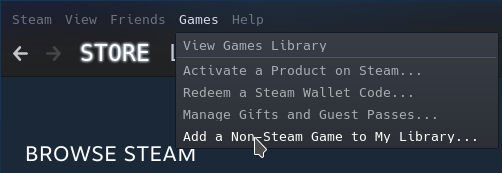
- Tick
DiscordandDiscover Overlay - Press
Add Selected Programs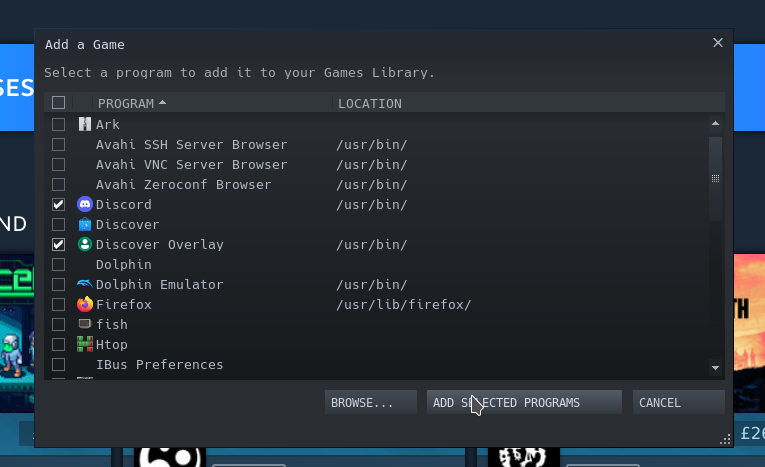
- Go to
Library - Right click (or left trigger if you’re not using a mouse) with your cursor over
Discover Overlayin the Library - Choose
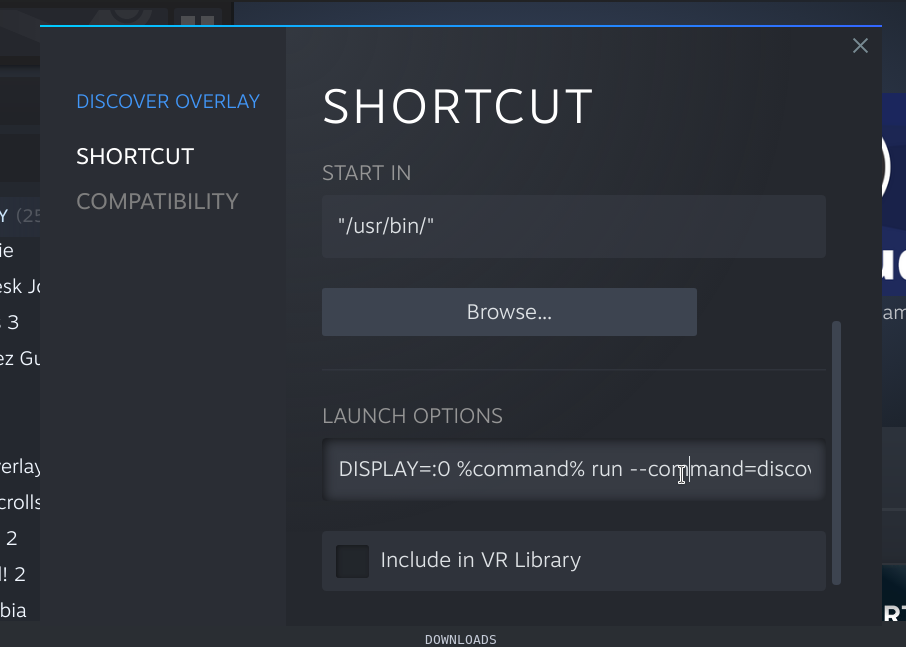
Properties - in
Launch OptionsputDISPLAY=:0 %command% run io.github.trigg.discover_overlay - optionally add ` –debug` if you wish to save debug messages to a file
- Return to game mode
- Run Discover overlay & Deck on Game Mode